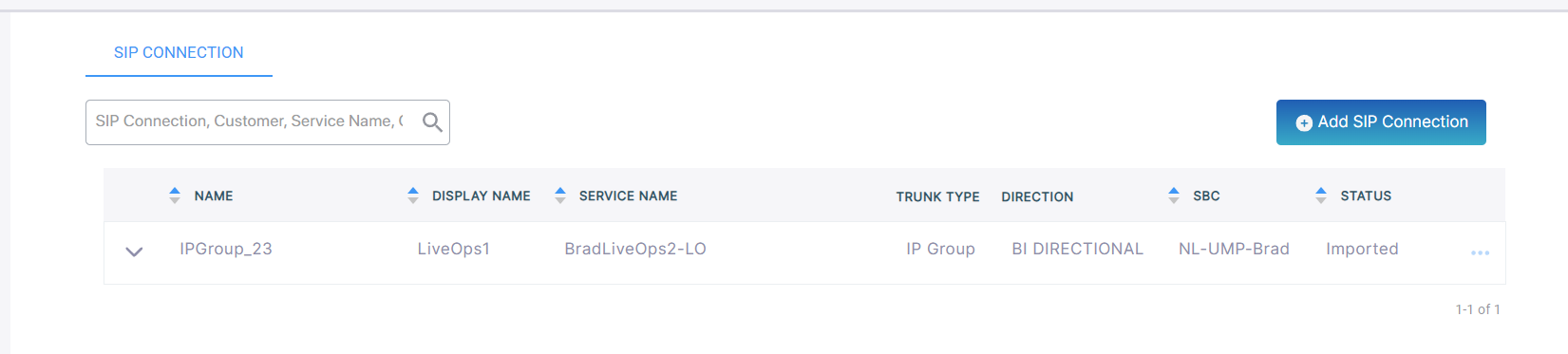
Add IP Group SIP Connection
The IP Group SIP Connection lets you monitor calls data traversing specific IP groups configured on the SBC device.
Ensure that the SBC device attached to the LiveOps 360 Management service is connected to Live Platform portal and has been properly configured.
| ➢ | Do the following: |
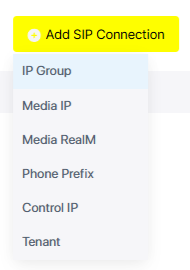
| 1. | From the Add SIP Connection drop-down, choose IP Group. |
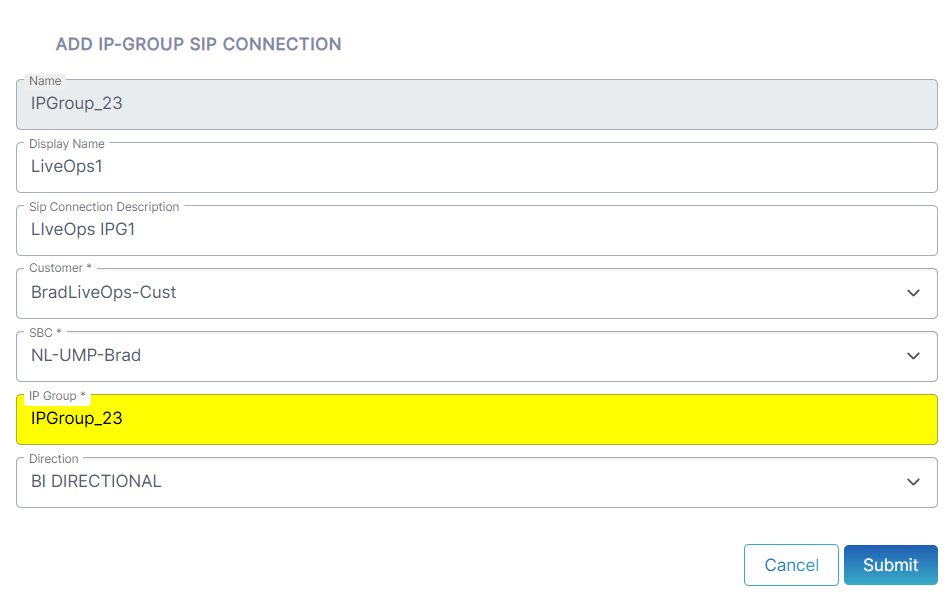
| 2. | Configure parameters according to the table below and then click Submit. |
|
Parameter |
Description |
|||||||||
|---|---|---|---|---|---|---|---|---|---|---|
|
Name |
The name of the SIP connection. |
|||||||||
|
Display Name |
The Display name in the Live Platform portal SIP Connection page. |
|||||||||
|
SIP Connection Description |
A brief description of the connection. |
|||||||||
|
Customer |
From the drop-down list, select the customer to attach to the connection. |
|||||||||
|
SBC |
From the drop-down list, select the SBC device to attach to the connection. |
|||||||||
|
IP Group |
From the drop-down list, choose the source device IP-Group index (a list of options may be available). |
|||||||||
|
Direction |
Indicates the direction of the call traffic managed by the SIP Connection.
|